One operational layer from daily checks to verified closure.
Bring checklists, Journal records, Reference Materials, continuous monitoring, evidence and reporting into one connected operational record.
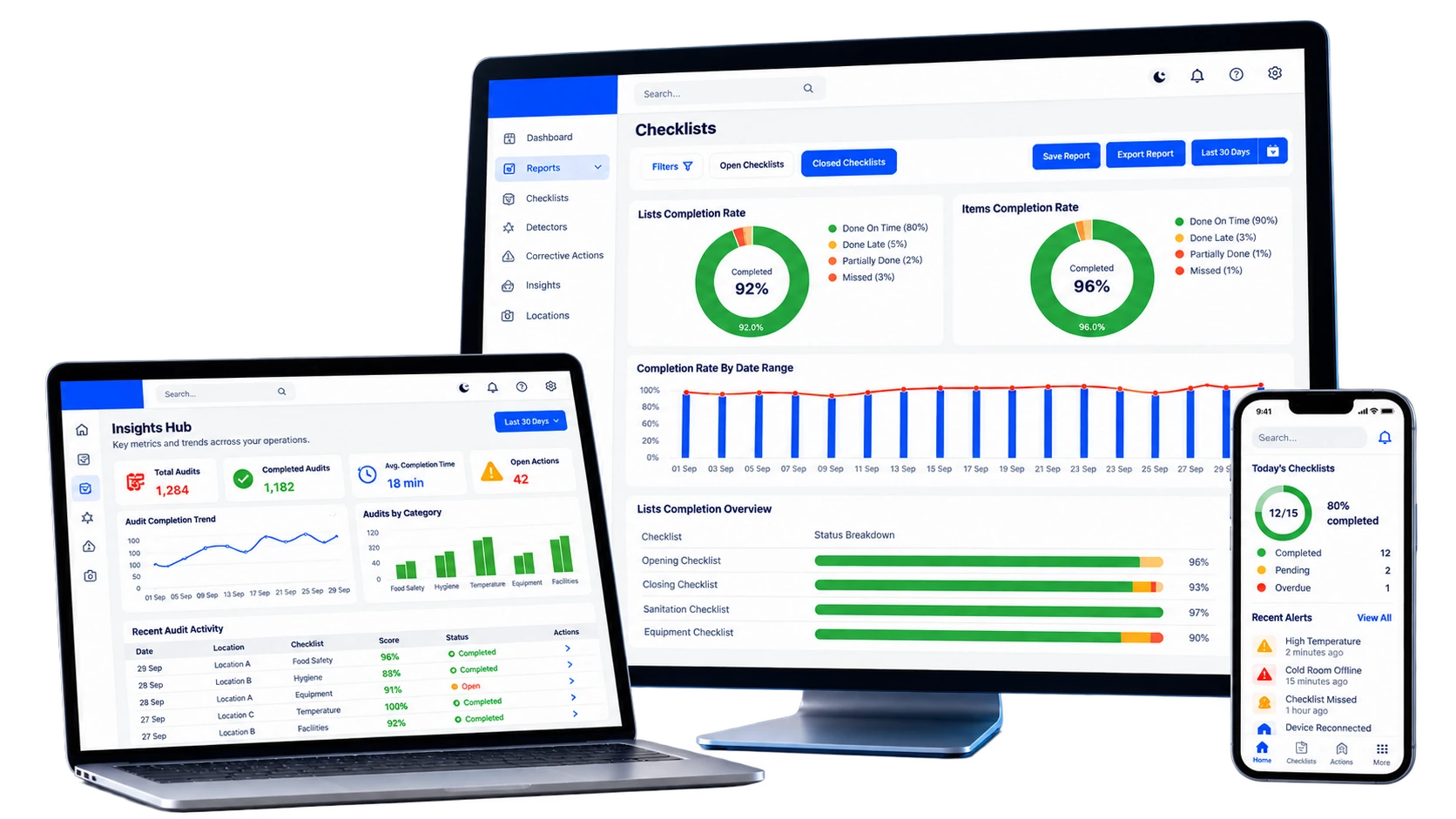
Stop treating operational data as separate islands.
Each part of InCheck 360 contributes to the same operational context: what was checked, what failed, who owns the action, what evidence was submitted, what the equipment was reading and whether the issue was verified.
Five current operating layers. One connected picture.
Use only the modules you need, or connect them into a broader execution, food-safety and operational-control system across your locations.
Checklists & tasks
Recurring, shift-based and location-based execution with due times, expiry, structured inputs and evidence.
Journal
Capture shift notes, incidents, observations and location context that sits between recurring checks.
Reference Materials
Keep SOPs, procedures, manuals and training references accessible where the work happens.
Smart detectors
Bring continuous environmental readings, device status, thresholds and trends into the same operational context.
Reports & audit trail
Preserve time-stamped records, user and location history, linked evidence and exportable operational records.
Dedicated Audit Management and AI Data Analytics are coming soon.
They are shown separately so customers can understand the direction of the platform without confusing roadmap capabilities with modules available today.
Audit Management
A dedicated audit layer for structured audits, findings, follow-up, verification and reporting.
AI Data Analytics
An upcoming intelligence layer for recurring issues, trends, risk signals and management summaries.
Standards become workflows. Workflows become evidence.
Management defines the operating standard. Teams execute it at site level. Exceptions become actions. Connected devices add continuous context. Reporting brings the record back together.
Ask for better evidence than a simple checkbox.
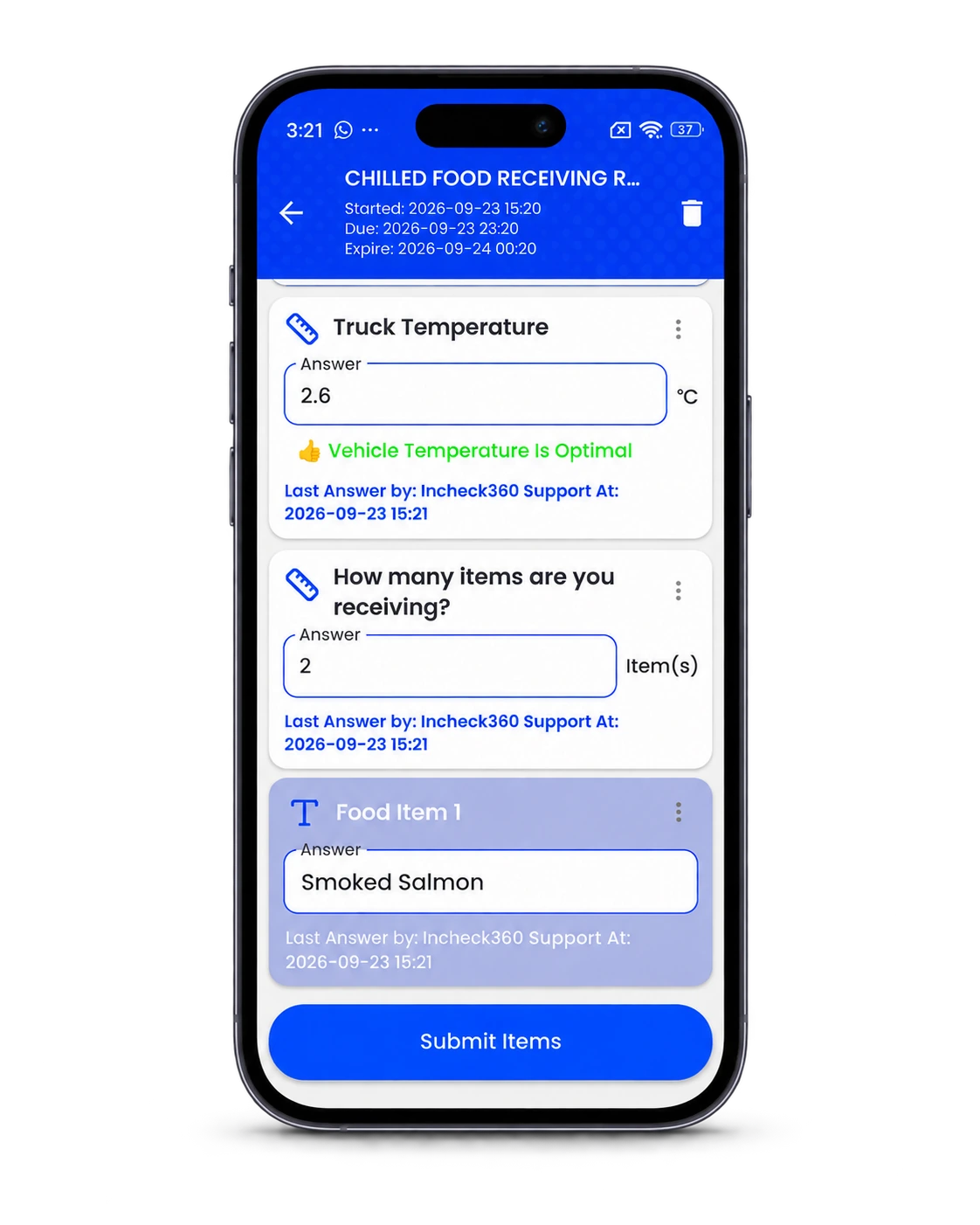
Use structured inputs and workflow rules to improve data quality at source, reduce vague answers and make follow-up more actionable.
Validate temperatures, quantities and other measured values against expected limits.
Require visual evidence where a simple yes/no answer is not enough.
Capture acknowledgment or verification where accountability matters.
Connect users, locations or checkpoints to the right workflow.
Show the right questions and actions based on previous responses.
Deliver the right workflow to the right team, site, role or shift.
The workflow around the checklist matters as much as the checklist itself.
InCheck 360 combines assignment, access, reminders, evidence and exception handling so recurring work stays connected to accountability.
Reminders & alerts
Surface due, incomplete and exception-based work through configured operational notifications.
Personal + shared devices
Support different frontline device models, including QR-based shared-device access where configured.
User traceability
Keep user, role, location and timestamp context connected to the operational record.
Exception handling
Move failed controls into visible follow-up instead of leaving them buried in completed forms.
Evidence requirements
Require photos, signatures, values or comments where the operating control needs stronger proof.
Central standards, local execution
Define common controls centrally while adapting assignment and schedules to each location.
Keep business transactions in the ERP and operational evidence in InCheck 360.
Selected master and transaction data can be exchanged with ERP or other business systems while InCheck remains the operational layer for checks, evidence, non-conformities, operational follow-up and verification.
Explore IntegrationsMicrosoft Dynamics receiving workflow
Supplier, item and warehouse data can flow into InCheck. Teams complete receiving and food-safety controls in InCheck, while only agreed mapped transaction fields return to Dynamics.
Checklists & Tasks
Build structured operational and food-safety checklists by location, role, user and shift, with scheduling, validation, evidence and exception follow-through.
Explore Operational contextJournal
Record shift notes, observations, incidents, recurring concerns and location updates in one structured operational history.
Explore KnowledgeReference Materials
Centralize SOPs, procedures, manuals, training documents and operational references so teams work from current information.
Explore Always-on monitoringSmart Detectors
Connect temperature and environmental detectors to centralize continuous readings, device status, alerts, trends and multi-location visibility.
Explore EvidenceReports & Audit Trail
Maintain structured histories and exportable evidence for management review, internal audits and operational documentation.
Explore Coming soonAudit Management
An upcoming dedicated audit module for planned audits, findings, evidence, assigned follow-up, verification and reporting. Inspection-style checklists can already be used today while this workflow is completed.
Explore Coming soonAI Data Analytics
An upcoming intelligence layer designed to surface recurring issues, changing patterns, risk signals and concise management summaries from InCheck 360 operational data.
ExploreSee what is actually happening across your operation.
Connect daily execution, food-safety controls, evidence and continuous monitoring in one platform.