Journal
Record shift notes, observations, incidents, recurring concerns and location updates in one structured operational history.
Keep the operating story between recurring checks.
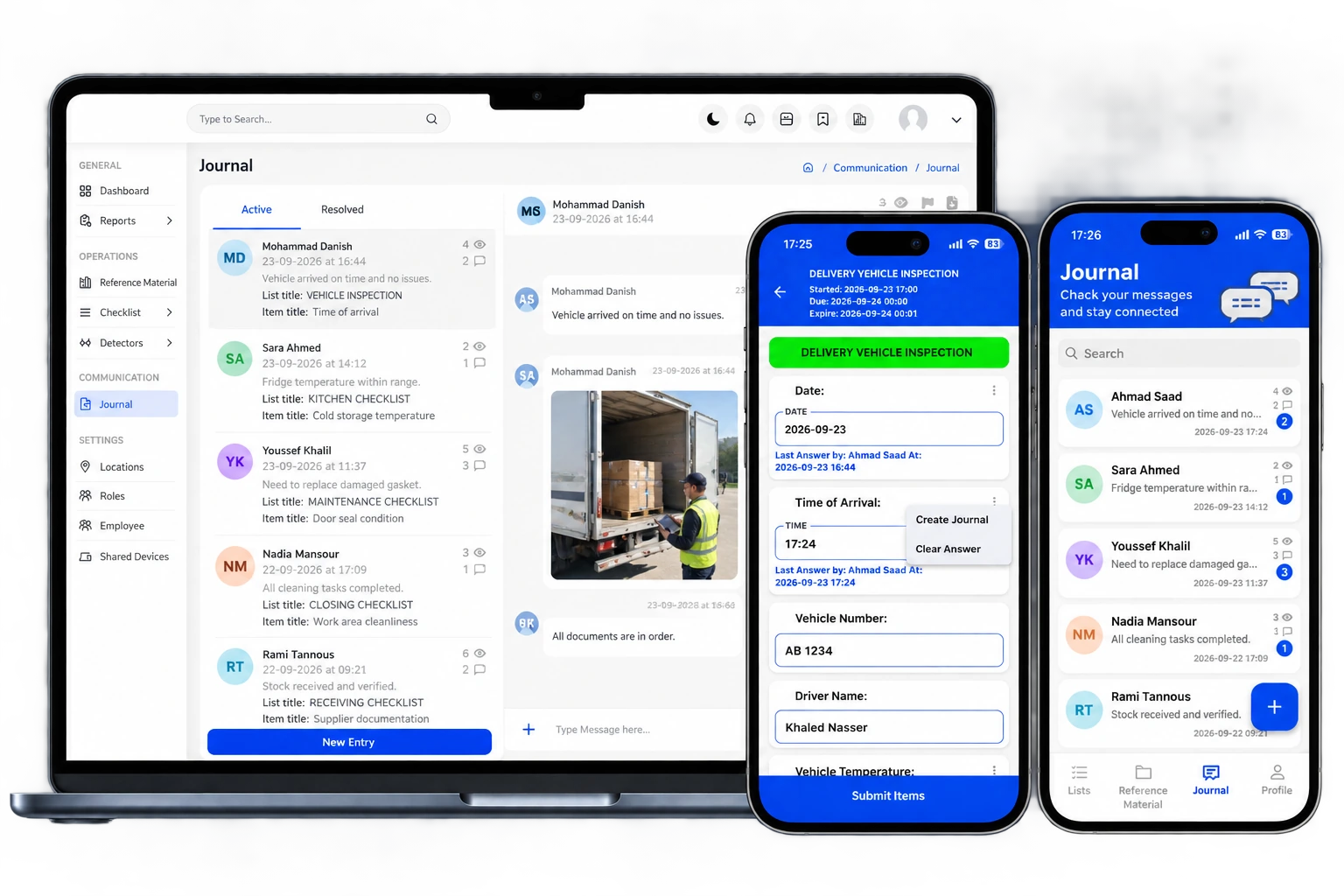
Journal captures the operational context that sits between recurring checks. Teams can record shift notes, incidents, observations and location updates in one searchable history, keeping important context out of scattered messages and notebooks.
Included in InCheck Basic, InCheck Detect and relevant custom configurations. Available for Lite as an optional add-on.
A team member notices an event, issue, handover point or operational update that needs to be preserved.
Capture the note, photo or message with the relevant user, location and time context.
Managers review the entry and conversation alongside the wider operational record.
Continue the conversation or move the issue into the appropriate operational follow-up when action is required.
The operational detail behind the module.
Each capability is designed to keep execution, evidence, ownership and management visibility connected.
Operational observations
Record events, observations and important context as they happen during daily operations.
Shift & location updates
Preserve handover information and location-specific notes in one structured history.
Incident records
Capture an issue or event with the context needed for later review and follow-up.
Recurring concerns
Keep repeated observations visible over time rather than losing them in isolated messages.
Narrative context
Use Journal when the operational record needs more context than a checklist answer alone.
Management history
Give managers a searchable operational history that complements checklist and other operational records.
Where teams use it.
What management can review.
This module is more useful when it is not isolated.
InCheck 360 is designed so operational records can sit in the same wider context instead of being split across separate tools.
See what is actually happening across your operation.
Connect daily execution, food-safety controls, evidence and continuous monitoring in one platform.