
Checklists & Tasks
Build structured operational and food-safety checklists by location, role, user and shift, with scheduling, validation, evidence and exception follow-through.
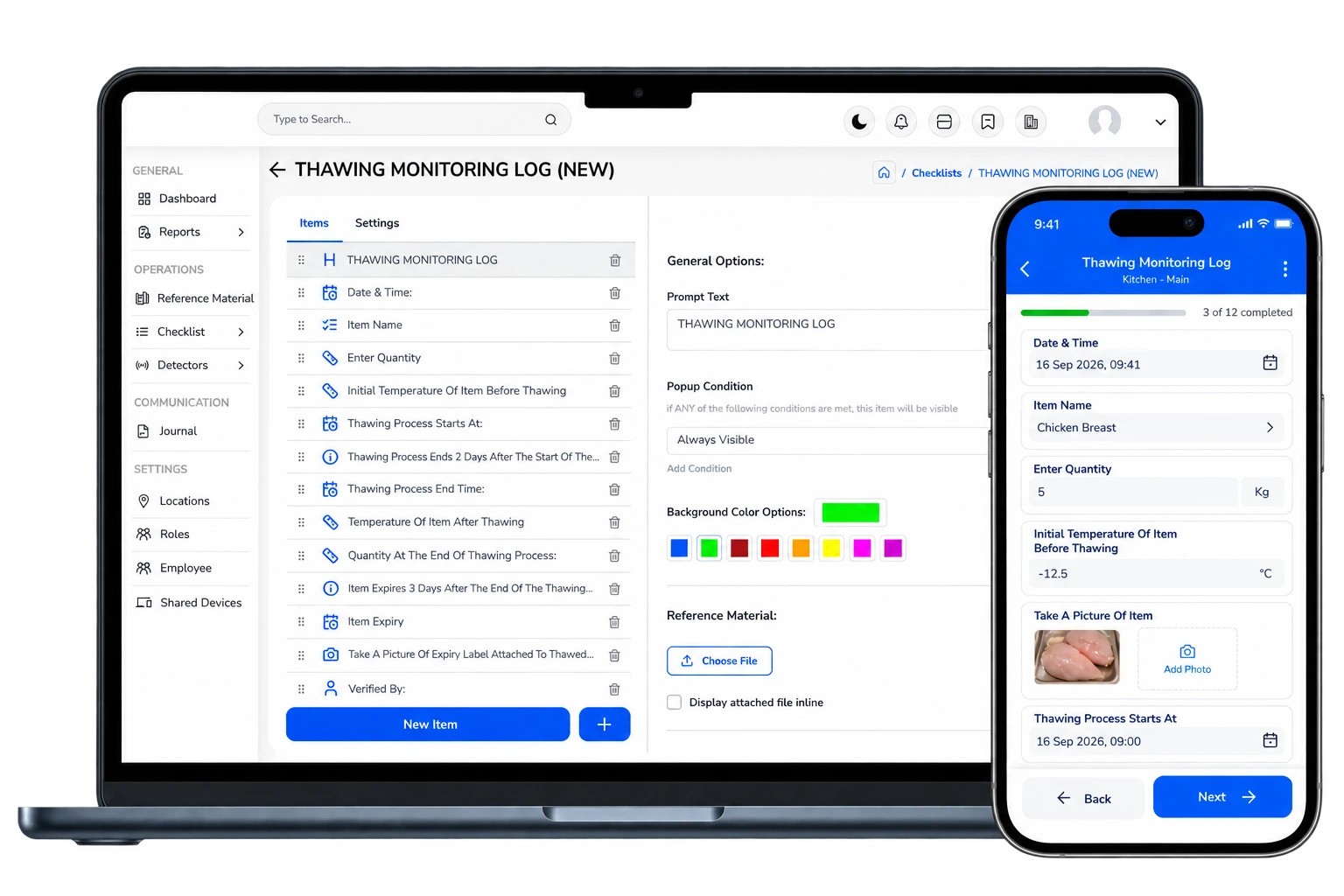
Turn standards into consistent daily execution.
Build checklists around locations, roles and shifts. Use structured questions, limits, due times and evidence requirements to guide frontline execution. Exceptions stay visible and can move into documented follow-up and verification.
Included in InCheck Lite, Basic and Detect, subject to each plan’s limits.
Turn procedures and operating requirements into structured questions, limits and required evidence.
Deliver the right checklist to the right location, role, user or shift at the right time.
Frontline teams complete tasks in the app and capture the required values, photos, signatures or comments.
Failed, missed or out-of-range responses are surfaced instead of disappearing inside a completed form.
Assign follow-up, capture corrective evidence and verify closure with a clear operational record.
The operational detail behind the module.
Each capability is designed to keep execution, evidence, ownership and management visibility connected.
Flexible checklist design
Build operational, quality and food-safety routines with yes/no, numeric, text, photo, signature, evidence and other structured inputs.
Scheduling & recurrence
Run one-time or recurring checks around the location, shift, role and operating schedule.
Assignment rules
Direct work to the right location, department, role, user or shift instead of relying on generic forms.
Validation & limits
Use expected ranges and required evidence so abnormal answers can be identified at the point of execution.
Conditional workflows
Show relevant follow-up questions or requirements based on previous answers.
Due time & expiry
Track what is due, completed, missed or expired instead of reviewing forms after the fact.
Reminders & alerts
Surface due, incomplete or exception-based work through configured reminders and operational notifications.
Shared-device workflows
Support personal and shared-device execution, including QR-based access where configured for the operating model.
User traceability
Keep user, role, location and timestamp context connected to the submitted operational record.
Evidence at source
Keep photos, signatures, comments, measured values and timestamps connected to the original control.
Exception follow-through
Failed controls can remain visible for documented follow-up instead of disappearing inside a completed checklist.
Where teams use it.
What management can review.
This module is more useful when it is not isolated.
InCheck 360 is designed so operational records can sit in the same wider context instead of being split across separate tools.
See what is actually happening across your operation.
Connect daily execution, food-safety controls, evidence and continuous monitoring in one platform.